Page 6 of 9

Using Daily Notes as a Time Management App

Mastering time management will make a big difference not only in your work life but also in your personal one as well. It’s a ongoing process that would require discipline, commitment and of course, the right tools.

You can actually create your very own time management system right in Daily Notes by doing the following:

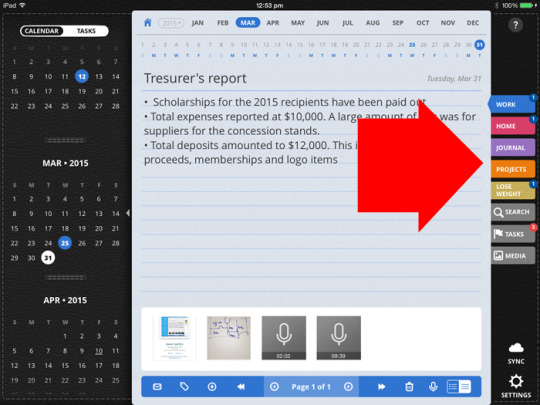
Compartmentalize your activities or goals.
Create a Tab for each aspect of your life or goals. Label them accordingly, eg. make a tab for your goals: Lose Weight. Create another tab for your Work. A third one for your Projects and so on and so forth.

Continue reading

Time Management Tips

Struggling to keep track of your all tasks and activities? Get some inspiration on how to handle your schedule by reading some time management tips from people from all walks of life; entrepreneurs, moms, creatives, celebrities and more.

reference: Startup Collective – Anthony Robbins

Continue reading

How to Organize Your Life with Daily Notes

Becoming organized has never been more important especially at this fast paced, multi-tasking life. The overwhelming everyday schedules and the occasional impromptu events seems more manageable, giving you more control on how to handle your time and bringing you closer to your goals. It leads to more productivity, less stress and more time for yourself and your family.

Daily Notes can help you get organized. Here’s how:

Organize Your Life: Categorize
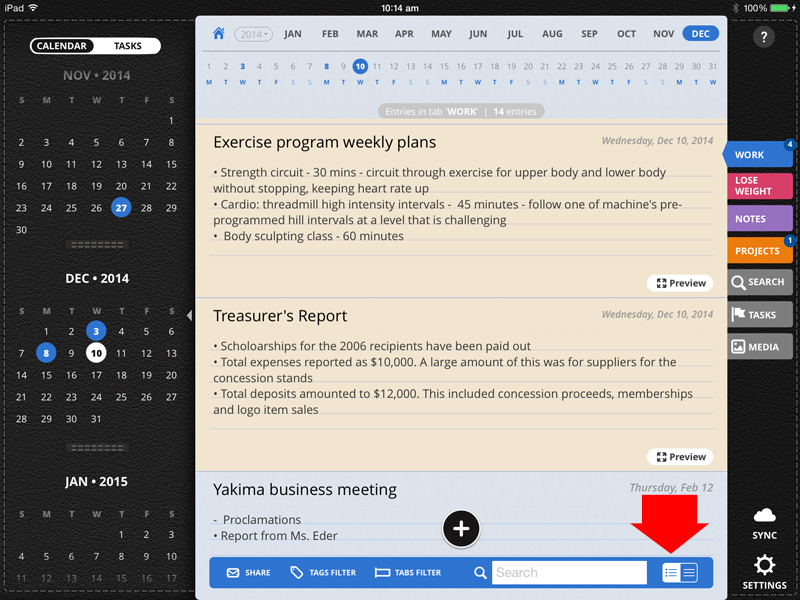
Start by thinking about the different aspects of your life and separating them by “Tabs” in Daily Notes. Tabs are like folders, where you can organize your notes, photos, sketches, PDFs and even audio recordings.

Below are a few examples for Tabs:

  • Create a Tab for work, where you can place all your meeting notes, project documents and client meeting recordings.

daily notes_voice recording app_journal app_to-do list app

Continue reading

How to Move a Page in Another Tab

How to Move a Page in Another Tab

It’s easy to move a page in another Tab or day*. This function comes handy in case you’ve misplaced a note in the wrong Tab or date in Daily Notes. Here’s how you move that page:

Go to the Tab where the note is located then tap on the summary icon located at the bottom toolbar.

daily notes app_journal app_recording app_task manager app_to do list app

Go through your notes or quickly search for a specific note by typing on the Search box on the bottom toolbar.
Continue reading

How to Reduce Paper Clutter

Want to get rid of all those paper cluttering your home and office? We bring you tips & techniques on how to go paperless in your daily life:

Use a note taking app. Do you constantly want to lug around several, heavy notebooks? Just use one, neat compact device, say an iPhone or iPad and use that to create and store all your notebooks via the Ultimate Note Taking Pack. For handwritten notes, you can turn to Noteshelf. For days when you don’t feel like writing, record those lectures or meetings using Daily Notes.

Noteshel note taking best handwriting ipad app

Continue reading

« Older posts Newer posts »

© 2026 Daily Notes App

Theme by Anders NorenUp ↑